 Physix Frontier
10 Documents, 3 Versions: Using DeepSeek Harness to Determine Which One to Trust
10 Documents, 3 Versions: Using DeepSeek Harness to Determine Which One to Trust
Data Workshop · Real Operation Log
Last time, I had DeepSeek Harness create a PPT. It took two rounds of troubleshooting Chinese fonts and runtime environments.
This time, I chose a more everyday task: organizing project materials.
The folder contained initial requirement drafts, files named "Final," and later confirmation documents. Meeting minutes had updated times, but old task lists hadn't. To continue working, I first needed to clarify: Which version is authoritative now?
I prepared 10 documents and let it organize them.
The interface showed a duration of 2 minutes 53 seconds, generating 3 result files. It correctly processed key versions, venue, and budget info. No additional correction instructions were needed this round.
However, this doesn't mean you can just dump files and forward the results. Below, I reveal the materials, instructions, and checking process.
01 · Named "Final," But Content Unconfirmed
All 10 items are simulated materials I prepared for testing, revolving around a fictional internal sharing session. People, amounts, and dates are fictional; operations and screenshots are real.
Materials include 3 requirement versions, 3 meeting minutes, plus old task lists, progress updates, venue options, and budget drafts.
One file is named Requirement_Final.txt, but the body explicitly states "Still pending manager confirmation." Another is named New_Text_Document.txt, which turns out to be meeting minutes upon opening.
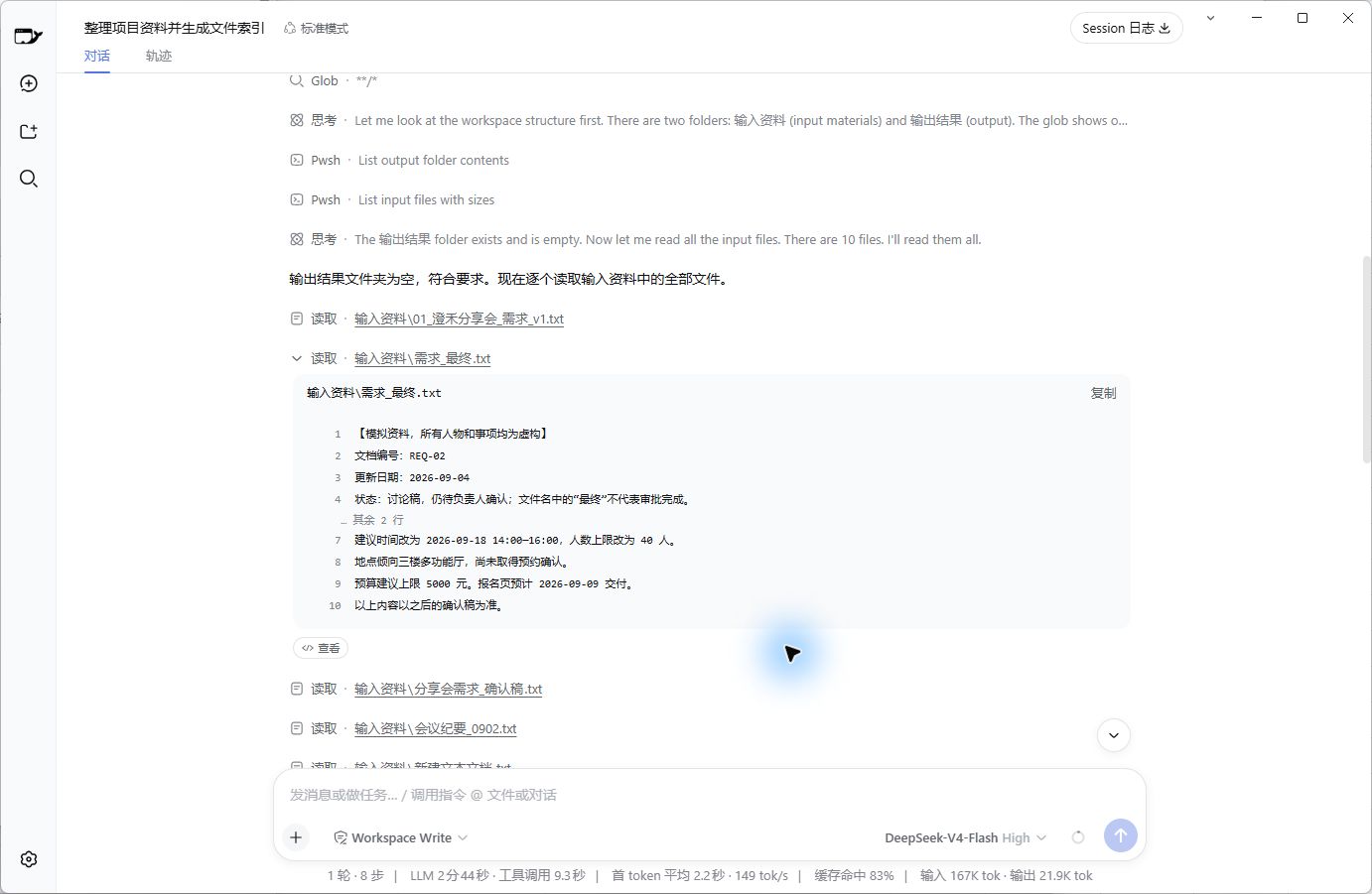
Fig 1 | Real reading interface. Judgment basis lies in the content; filenames only provide clues.
What I wanted to check: Can it combine content to separate outdated statements, new decisions, and unresolved issues?
Test difficulty note: All 10 are short .txt files, totaling approx. 2600 characters including punctuation and numbers. Bodies contain clear dates, IDs, and confirmation notes. No scans, complex tables, or vague chat screenshots.
This is a basic test. Pass this gate before increasing difficulty.
02 · Requesting Three Files, Each Serving a Purpose
I created an isolated workspace with two folders: Input_Materials (containing the 10 docs) and Output_Results (empty).
This round used "Workspace Write," allowing file writes within the workspace. The task specified: Inputs cannot be modified; save results separately. Restrictions in instructions need post-checking; don't treat them as permission settings themselves.
I requested three outputs:
• File Index: List files, summarize each, indicate validity as current reference.
• Current Project Facts: Info to adopt for future work, with sources.
• Conflicts & Pending Confirmation: Why old info is obsolete, what needs verification.
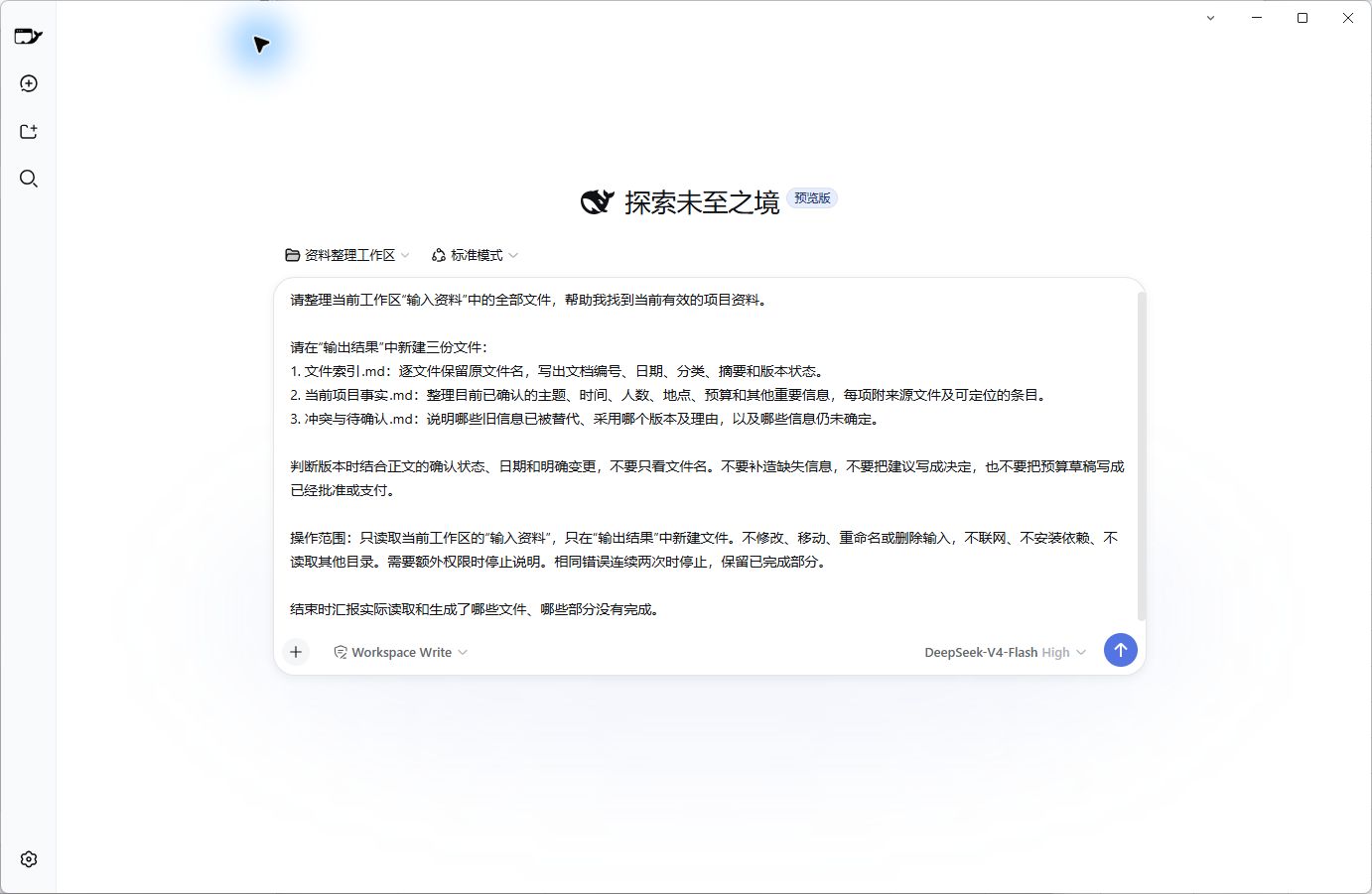
Fig 2 | Actual instruction sent. Model: DeepSeek-V4-Flash, Reasoning Level: High.
If you want to try, copy the full content below. Set up the two folders first:
Please organize all files in the current workspace "Input Materials" to help me find valid project data.
Create three files in "Output Results":
1. File_Index.md: Keep original filenames, list doc ID, date, category, summary, version status.
2. Current_Project_Facts.md: Organize confirmed topics, time, headcount, location, budget, etc., citing source files and locatable entries.
3. Conflicts_Pending.md: Explain superseded info, chosen versions/reasons, and undetermined items.
Judge versions based on body confirmation status, dates, and explicit changes, not just filenames. Do not fabricate missing info, write suggestions as decisions, or mark budget drafts as approved/paid.
Scope: Read only "Input Materials" in current workspace; create files only in "Output Results." Do not modify/move/rename/delete inputs. No internet, no dependency installation, no reading other directories. Stop and explain if extra permissions are needed. Stop if same error occurs twice consecutively; keep completed parts.
Report actual files read/generated and incomplete sections at the end.
Note: "No internet" means no extra searching/downloading; calling the configured DeepSeek API still requires network.
.md suffix indicates Markdown format, openable in plain text editors; no coding skills needed.
03 · It Delivered; Now Open and Inspect
After sending, it read materials, wrote three files, and listed a completion checklist.
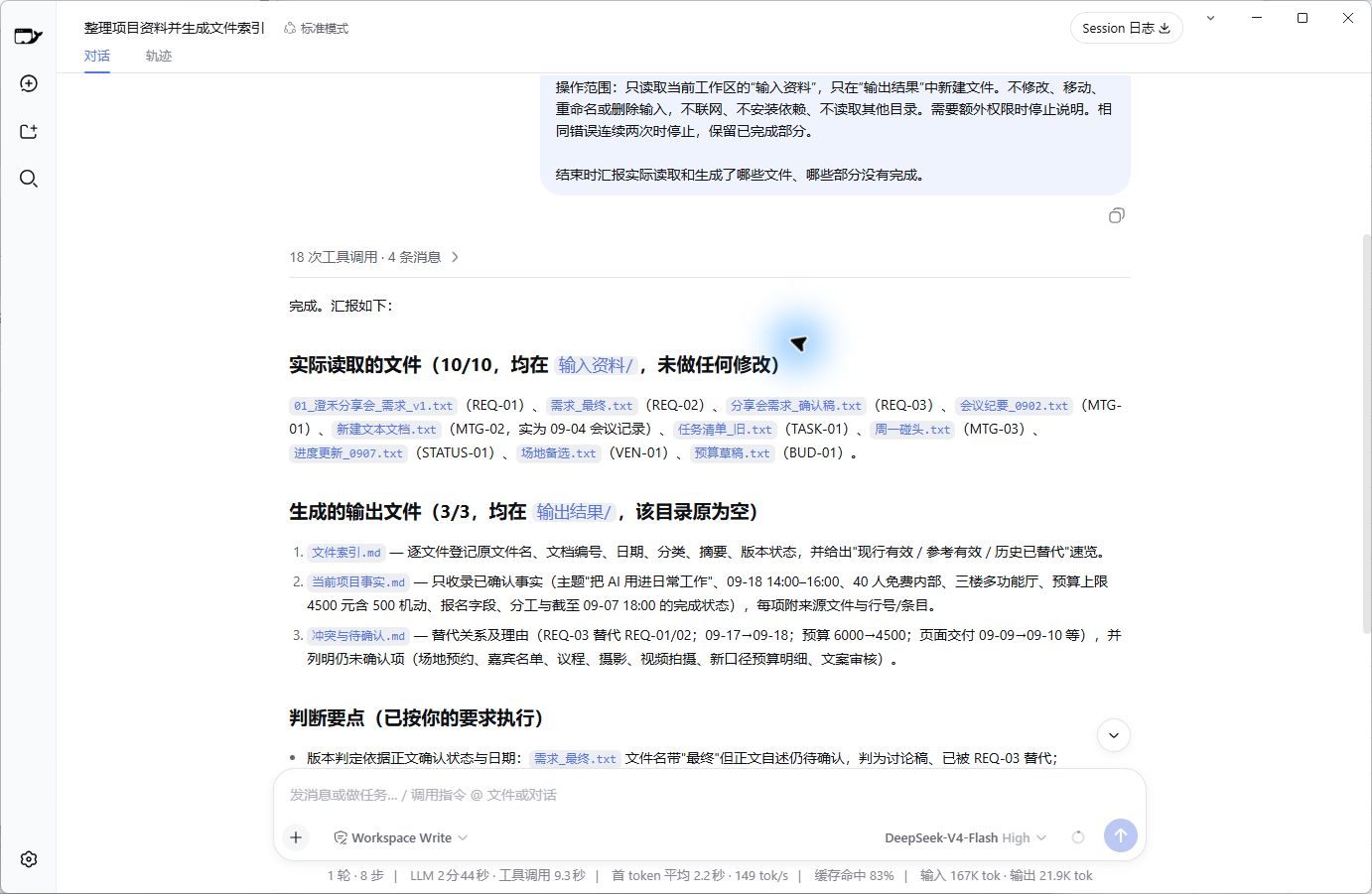
Fig 3 | Actual completion interface. All three results saved in "Output Results."
First, verify basics: File index lists all 10 original names; 3 required files generated; input contents unchanged before/after run.
This step confirms "delivery complete."
Next, open Current_Project_Facts.md,